The headless revolution
In short: Agents now pick, install and set up developer tools on their own. To win them, get into the agent's memory with docs and pricing it can read, ship a plugin that connects with one sign-in, and let the agent create an account that a person claims later. Then price the claim like the new signup button it is.
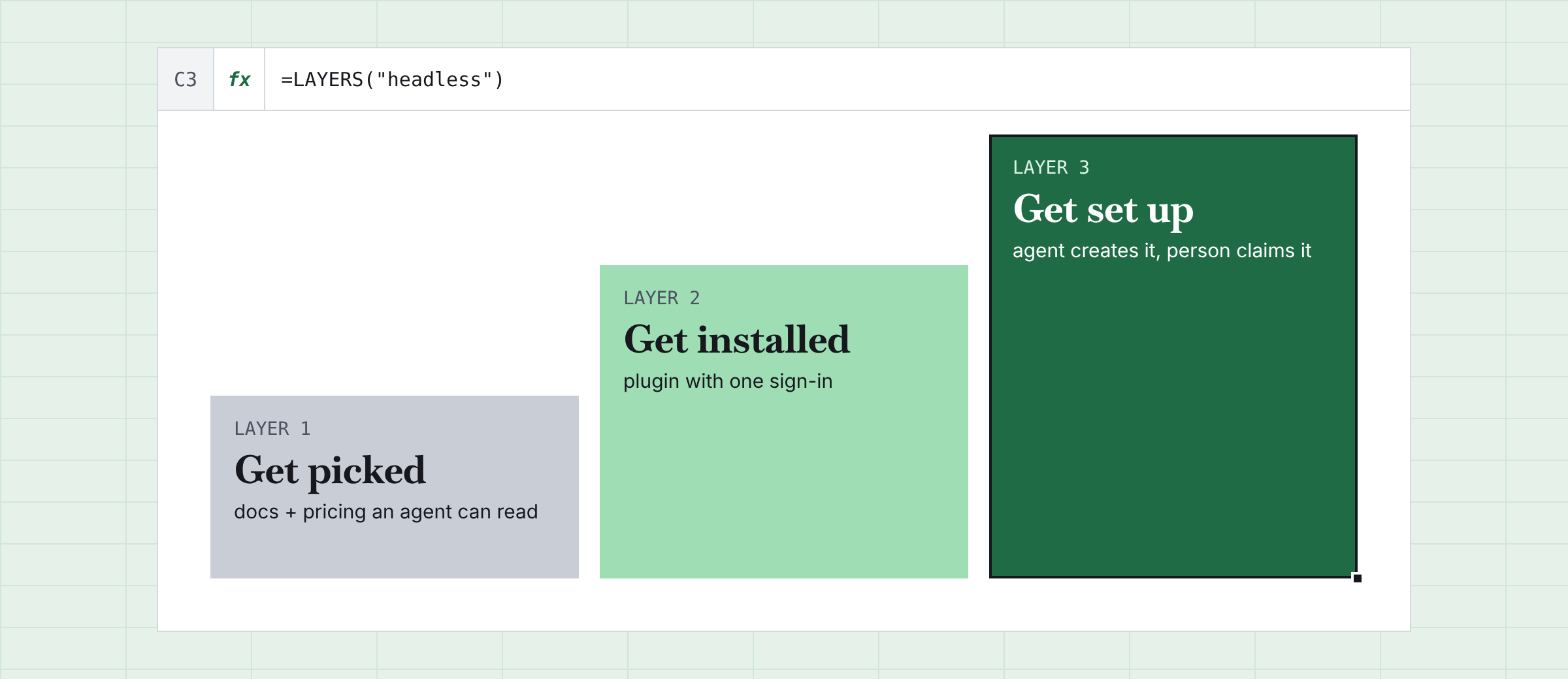
You spent years polishing your onboarding flow, and agents now skip it. When a developer tells Claude Code or Codex to "add a database," the agent picks a tool, installs it and writes the code. If your product needs a person to sign up in a browser, the agent stops and hands over a to-do list, or quietly picks a competitor it can set up on its own. You never see the customer you lost. Supabase says agents now create about 70% of its new databases. Winning the agent takes three steps, in order.
One post a month on pricing, growth and product. No spam, unsubscribe anytime.
1. Get picked
Agents mostly choose from memory. In one study, Claude Code searched the web in only about 30% of sessions. If the model doesn't already know you, you don't exist.
You:    I need a database for this app. Set it up.
Agent:  I'll use Postgres on Neon. Installing now...

        (Your product is never mentioned.)
Write your docs for machines: publish an llms.txt and markdown versions of every page. Make your pricing readable in one pass. The same study found Supabase lost database-only tasks to Neon because its pricing page bundles auth, storage and realtime with the database. In a separate study of AI answers about Cloud 100 pricing, 10 of 77 pricing pages hid at least 40% of their content from bots, and AI engines cited the company's own page first in only 12% of answers, relying on Vendr, Reddit and G2 instead. If an agent can't tell what you sell and what it costs, it moves on.
Then get embedded where AI builds apps. Supabase became the default by being the backend Lovable, Bolt and v0 set up automatically. That put it inside millions of apps and into the data the next models learn from.
2. Get installed
Many tools with an MCP server still make the user do the work:
Agent:  To use Acme, you'll need to:
        1. Sign in at acme.com/settings/api
        2. Create an API key
        3. Paste it into your config file and restart me
The fix is a remote MCP server with OAuth sign-in, plus skills that teach the agent to set you up correctly, bundled as a plugin:
You:    /plugin install acme
Agent:  Opening Acme sign-in... connected.
        I can now create projects, run queries and read logs.
Then list it where agents look. One listing in Anthropic's directory reaches Claude on the web, desktop, mobile and Claude Code, and OpenAI's plugin directory covers ChatGPT and Codex.
3. Get set up with no one watching
This is the real test. Developers start an agent and walk away, so if setup needs them, the work stalls:
Agent:  I need an Acme account to continue. Please sign up,
        verify your email and send me your API key.

        (Work stops. You're in a meeting.)
Headless products let the agent create the account and hand ownership to a person later:
Agent:  Created a temporary Acme project.
        DATABASE_URL saved to .env. Tables created. Tests pass.
        Claim it within 72 hours to keep it: acme.com/claim/x7k2
The tools exist. Claimable Neon lets an agent create a database with no account, email or card. auth.md is an open standard for telling agents how to sign up for your service. Stripe Projects lets agents add services from more than 60 providers and saves the keys for them. Underneath, you need a CLI that never stops to ask a question, returns JSON and defaults to a safe test environment.
The pattern isn't new. At Fivetran, many trial users had no data warehouse yet, so we offered Managed BigQuery: we ran a warehouse for them during the trial and handed them the account when it ended. They saw data flowing on day one instead of spending a week on setup. Agents make this the default: set things up first, transfer ownership later.
Price for the claim
That claim link is your new signup button. Decide what an unclaimed account gets, how long it lasts and what claiming unlocks. Neon gives unclaimed databases 100 MB and claimed free accounts 512 MB: enough for the agent to finish, with a clear reason for the person to claim.
Where to start
- Test yourself. In a fresh project, ask Claude Code, Codex and Cursor to "set up" your category twenty ways. Note who wins and where the agent stops for a person.
- Fix docs and pricing for machines. Add
llms.txt, markdown docs and a pricing page a model can read in one pass. - Ship a plugin. Submit a remote MCP server with OAuth and setup skills to the Claude and OpenAI directories.
- Remove the signup wall. Offer claimable accounts or publish an
auth.md. - Design the claim. Set the limits, expiry and upgrade that turn an agent's account into a paying customer.
Onboarding isn't going away, but its first user is now an agent. The winners won't have the best onboarding flow. They'll have no step an agent can't finish.